support@dragon-dealz.ch
 +1 (888) 303-8337








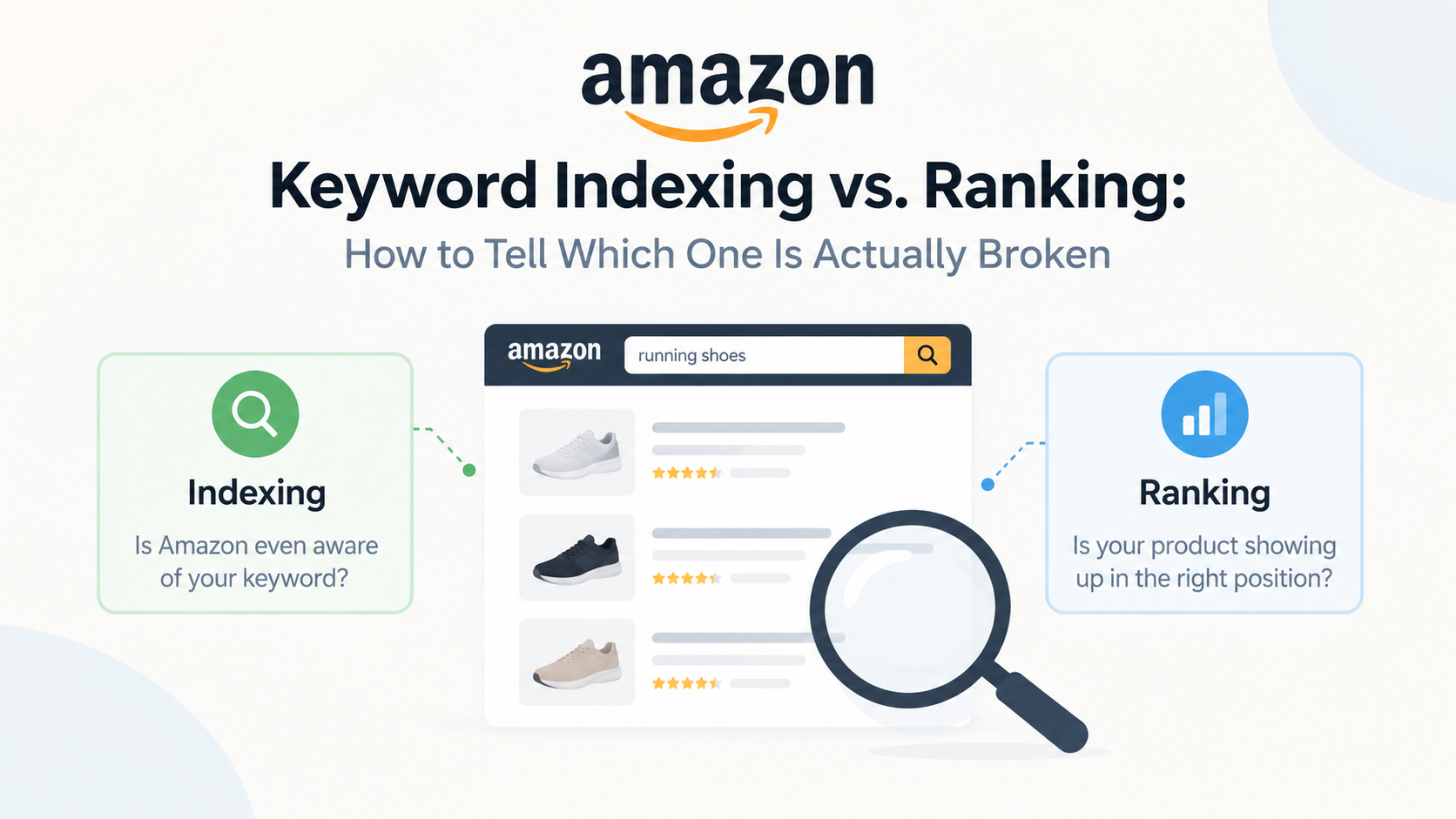
What Amazon Keyword Indexing Actually Means
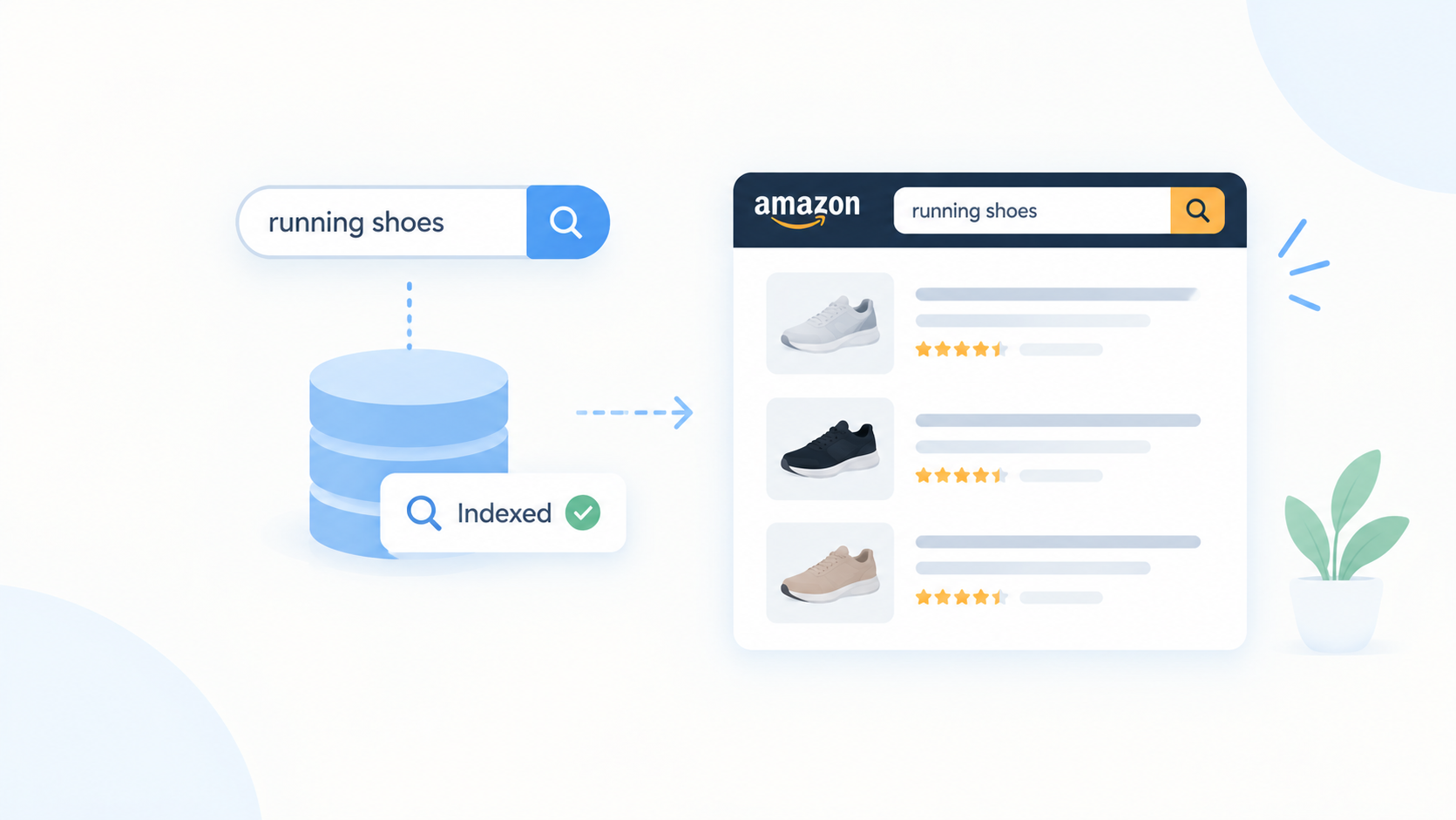
Amazon indexing is the process by which Amazon’s search engine, A10 (formerly A9), scans your listing’s title, bullet points, description, backend search terms, and even certain image alt data, and decides which keywords your ASIN is eligible to appear for. Think of it as Amazon building a giant lookup table: for every search term a shopper types, Amazon needs a list of candidate products that are allowed to be considered.
Being indexed for a keyword doesn’t mean you’ll show up on page one, page five, or even in the search results a customer scrolls through. It only means your ASIN is in the pool of candidates Amazon could return for that query. Indexing is binary; you either are or aren’t in the pool, while ranking is a spectrum, determined by relevance and performance signals layered on top of indexing.
This distinction matters because the fixes are completely different. Indexing problems are almost always structural: a missing keyword, a truncated backend search term field, a suppressed listing, or a catalog error. Ranking problems are performance-driven: click-through rate, conversion rate, price competitiveness, inventory depth, and advertising spend all play a role once you’re already indexed.
Indexed vs. Ranking: The Core Difference
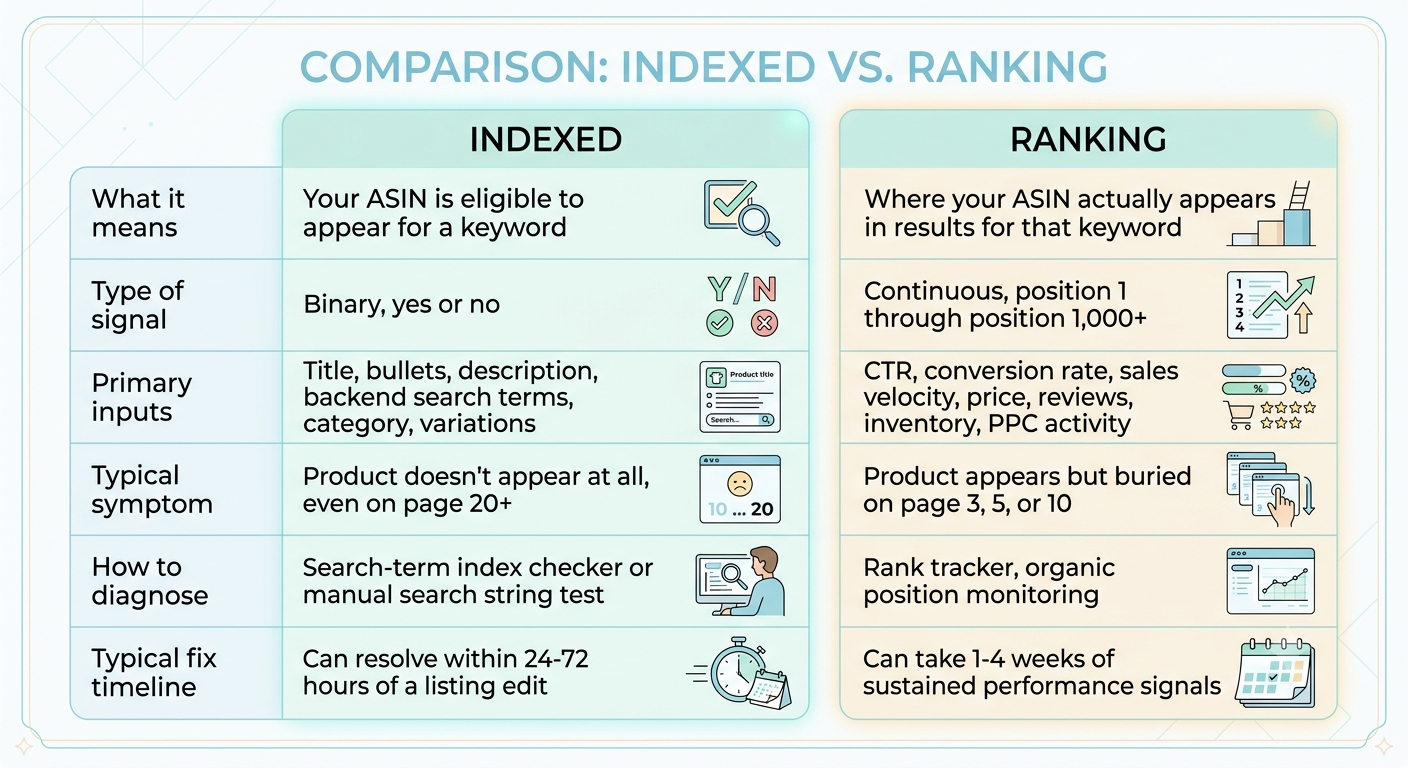
A useful mental model: indexing is the ticket to the race, and ranking is where you finish. You can’t finish a race you were never entered into, but being entered doesn’t guarantee a good finishing position either.
How to Check if Your Amazon Product Is Indexed
Before you touch your listing copy, confirm whether indexing is actually the problem. Here’s the manual method that requires no third-party software:
- Open an incognito or private browser window. This avoids Amazon personalizing results based on your account or browsing history.
- Search the exact keyword phrase you expect to rank for, in quotation marks if it’s a multi-word phrase (e.g., “stainless steel garlic press”).
- Use the search bar’s autocomplete test. Type the keyword into Amazon’s search bar and note whether it autocompletes; this is a weak but useful early signal of relevance.
- Search “[keyword] [your brand name]” or “[keyword] [ASIN]”. If your product appears when you narrow the query this way but not on the broad keyword alone, you are likely indexed but ranking too low to appear within the results Amazon displays.
- Scroll to the absolute end of the search results. Amazon typically caps visible organic results around 300-400 products, depending on category and query volume. If you don’t appear anywhere in that range, indexing not ranking is the more likely culprit.
- Cross-check with Search Query Performance data (available in Seller Central under Brand Analytics, for brand-registered sellers). If a keyword shows zero impressions over a multi-week window despite reasonable search volume, that’s a strong indexing red flag rather than a ranking one.
- Use a dedicated backend search term audit by exporting your current listing content and manually confirming the keyword or a close variant of it appears somewhere in the title, bullets, description, or backend fields. Amazon generally needs to see the literal keyword (in singular or plural form) somewhere in indexable fields to index you for it.
If you complete these seven checks and the keyword is genuinely nowhere to be found in your listing content, you have an indexing problem. If the keyword is present in your content and Search Query Performance shows impressions but few or no clicks, you have moved into ranking-and-visibility territory instead.
The Diagnostic Path
Use this four-stage path in order. Each stage assumes the previous stage passed.
Stage 1 – Indexation check
Is the exact keyword (or a natural variant) physically present in your title, bullets, description, or backend search terms? Does Search Query Performance show zero impressions for this term over a 14-30 day window despite plausible search volume?
- If no keyword is found and there are zero impressions → this is an indexing problem. Go to How to Fix Amazon Indexing Issues.
- If the keyword is present and impressions exist → move to Stage 2.
Stage 2 – Ranking position check
Are impressions present but your average organic position sits outside the top 30-40 for a moderately competitive keyword? Does a rank tracker or manual search show you buried on page 3+?
- If impressions exist but position is weak → this is a ranking problem. Go to How to Improve Ranking Once You’re Indexed.
- If the ranking position is reasonable (top 1-2 pages) → move to Stage 3.
Stage 3 – Traffic/CTR check
Are impressions healthy and position acceptable, but clicks are disproportionately low relative to impressions? This points to a listing appeal problem – main image, price positioning, review count/rating, or badge presence (Prime, Best Seller, Amazon’s Choice) – rather than an indexing or ranking issue at all.
- If impressions are strong but click-through rate is weak → the fix sits in creative and offers positioning, not indexing or algorithmic ranking.
Stage 4 – Conversion check
Are clicks reasonable but sales are not converting at a competitive rate for the category? This is a listing-page and pricing problem – images, A+ content, reviews, bullet copy, and competitive pricing – and sits entirely downstream of both indexing and ranking.
- If clicks are healthy but conversion rate lags category benchmarks → the issue is on-page persuasion, not discoverability.
Running through these four stages in sequence prevents the most expensive mistake sellers make: rewriting an entire listing to “fix ranking” when the real problem was a missing backend keyword, or pouring PPC spend into a keyword the catalog was never indexed for in the first place.
Why a Product Isn’t Indexed
Several structural issues commonly cause an Amazon ASIN indexing failure:
- The keyword simply doesn’t appear anywhere in indexable fields. Amazon can’t index what isn’t written into your title, bullets, description, or backend search terms.
- Backend search terms are duplicated, over-stuffed with punctuation, or exceed the byte limit. Amazon truncates the field silently past its limit, and terms after the cutoff are never indexed.
- The listing is suppressed or has an active compliance flag, which can prevent full indexing even if the content itself is correct.
- Restricted or flagged keywords (medical claims, trademarked terms, competitor brand names) are excluded from indexing entirely.
- Variation-level indexing gaps, where a parent listing is indexed for a term but a specific child ASIN or size/color variation is not, because the differentiating keyword only appears on certain variations.
- New listing propagation delay. Newly created or recently edited listings can take 24-72 hours to fully propagate through Amazon’s indexing systems.
- Category or node mismatch, where the product is filed under a category that Amazon’s algorithm treats as less relevant to the keyword, suppressing indexing weight even when the term is present.
Why a Product Is Indexed But Not Ranking
Once indexing is confirmed, weak ranking typically comes down to a mix of relevance and performance signals:
- Low historical CTR and conversion rate for the keyword, which tells Amazon’s algorithm that shoppers don’t find your listing relevant or compelling for that specific query.
- Thin sales velocity relative to competitors ranking above you for the same term.
- Price positioned well outside the competitive band for the category and keyword.
- Inventory risk: Amazon suppresses ranking for listings at risk of stocking out, since an out-of-stock top result creates a poor shopper experience.
- Insufficient or declining review volume and rating relative to competing ASINs.
- Low or inconsistent PPC investment on the exact keyword, particularly during a launch window when organic signals are still thin.
- Keyword relevance dilution: the keyword exists in the backend field but is buried among dozens of loosely related terms, weakening its weight relative to competitors who feature it more prominently in the title and bullets.
How to Fix Amazon Indexing Issues
- Add the missing keyword directly into the title or bullet points, not just the backend field, since front-end placement carries more indexing and relevance weight.
- Rebuild backend search terms from scratch. Remove duplicate words already used in the title/bullets, eliminate punctuation, and stay within Amazon’s byte limit per field.
- Split single-use restricted terms out if a keyword is flagged for policy reasons, request category approval, or find a compliant phrasing instead.
- Check each child variation individually rather than assuming parent-level indexing covers every child ASIN.
- Allow 48-72 hours after any content edit before re-testing, since Amazon’s indexing systems need propagation time.
- Re-run the manual indexing check described above to confirm the keyword is now returning impressions in Search Query Performance.
How to Improve Ranking Once You’re Indexed
- Increase relevance density by moving the keyword earlier in the title and into at least two bullet points, without resorting to unnatural keyword stuffing.
- Run targeted PPC campaigns on the exact keyword to generate early sales velocity, particularly in exact-match campaigns that isolate performance data for that specific term.
- Audit price against the top 5-10 organic competitors ranking for the same keyword and adjust if you’re meaningfully outside the competitive band.
- Protect inventory depth so the algorithm doesn’t discount ranking due to stockout risk.
- Improve click-through rate first through main image testing and price/badge visibility, since CTR is one of the faster-moving signals Amazon rewards.
- Track position weekly rather than daily. Amazon’s ranking algorithm smooths signals over time, so short-term fluctuations are normal and shouldn’t trigger unnecessary listing changes.
If you’re planning a new listing from scratch, pairing indexing and ranking fundamentals with a structured rollout plan matters even more. The 30-Day Amazon Product Launch Scorecard walks through exactly which KPIs to monitor at each stage of a launch, and the Amazon Product Launch Ranking Study shows real keyword ranking movement across the first 30 days of a launch using campaign data.
For sellers estimating what a launch might require in traffic and ad spend before committing budget, the Amazon Product Launch Forecast framework is a useful next step. And if indexing and ranking issues are affecting a listing that used to perform well, the Amazon Product Relaunch Case Study documents a real before/after recovery.
Sellers who want a full diagnostic and rebuild rather than a self-serve fix can find more detail on the Amazon Growth Hub, where Dragon Dealz’s indexing and ranking services are outlined in full.
Ranking
Yes. Indexing only makes a product eligible to appear. If ranking, relevance, or performance signals are weak enough, Amazon may place the listing so far down the results (page 15, 30, or beyond) that it’s functionally invisible, even though it is technically indexed.
PPC does not directly cause indexing. Indexing is driven by listing content. However, running ads on a keyword can surface indexing gaps quickly, since Amazon requires organic indexing eligibility before certain automatic and broad-match ad placements will trigger for that term.
Most indexing updates propagate within 24-72 hours of a listing content change, though full stabilization of associated ranking signals can take longer.
Backend terms still matter for indexing eligibility, but Amazon generally weights front-end placement titles and bullets more heavily for ranking relevance once a product is indexed.
This usually means either the keyword isn’t present anywhere in indexable listing fields, the listing is suppressed or flagged, or a category/node mismatch is suppressing indexing weight. Run the manual indexing check above to isolate the cause before editing the listing.